
Every change to an order, kept.
Quantity, dates, price, rejections. In one place, in order.
The volatility you can't see today
A sales order is not one thing. It is a sequence: created, quantity changed, date moved, price adjusted, partly shipped, date moved again, invoiced. SAP shows you where the order is now. Most reporting forgets the rest.
The Business Ledger keeps every change as it happened, so you can see how much an order has moved, and which customers and products move the most.
Measured against what the customer asked for
On-time and in-full means little if it is measured against the last date SAP promised. With the full history, it is measured against what the customer originally asked for. That is the number your customer actually experiences.
No more digging
Finding out why an order changed used to mean searching SAP's change documents table by table. In the ledger it is one view, from first entry to last.
Browse an order
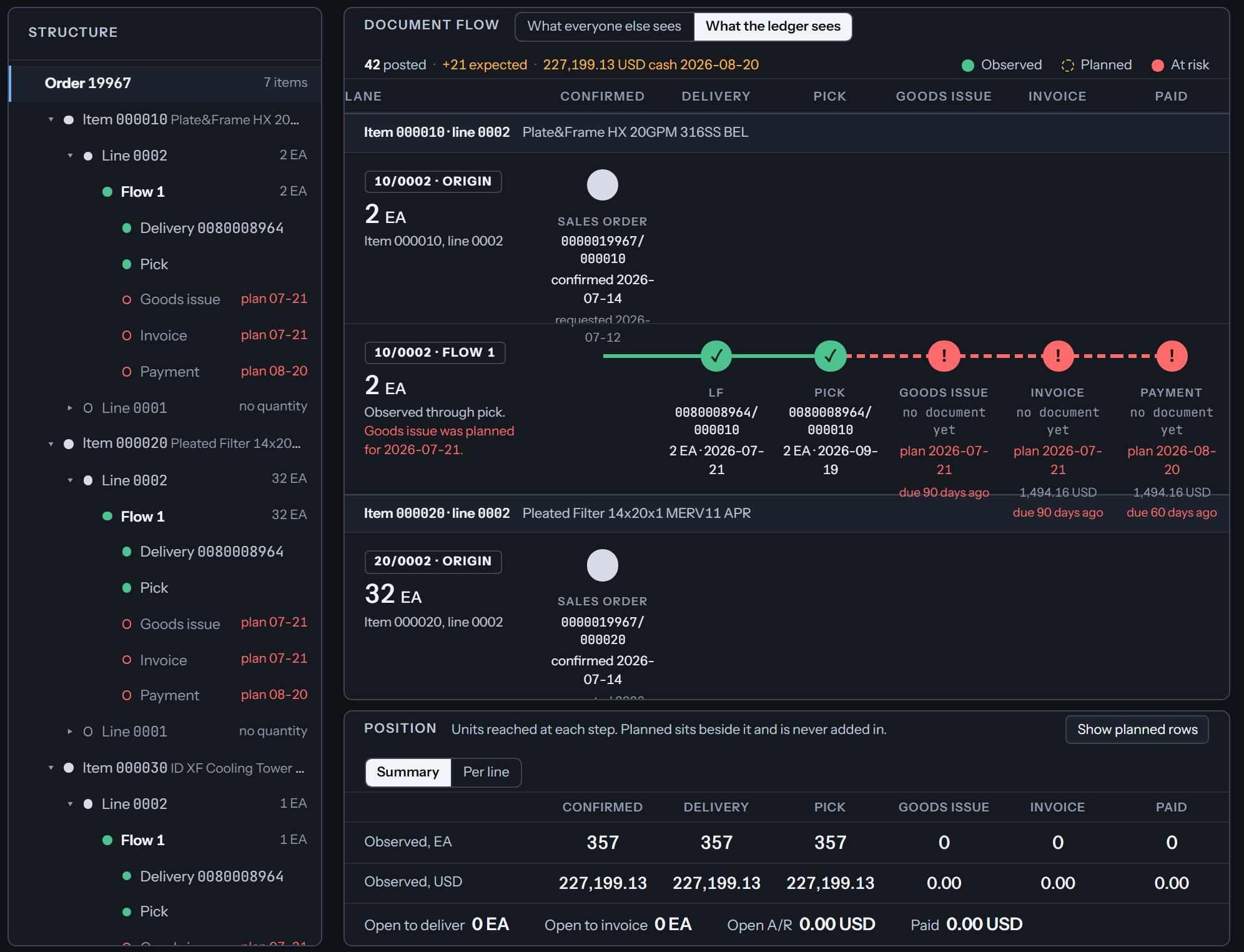
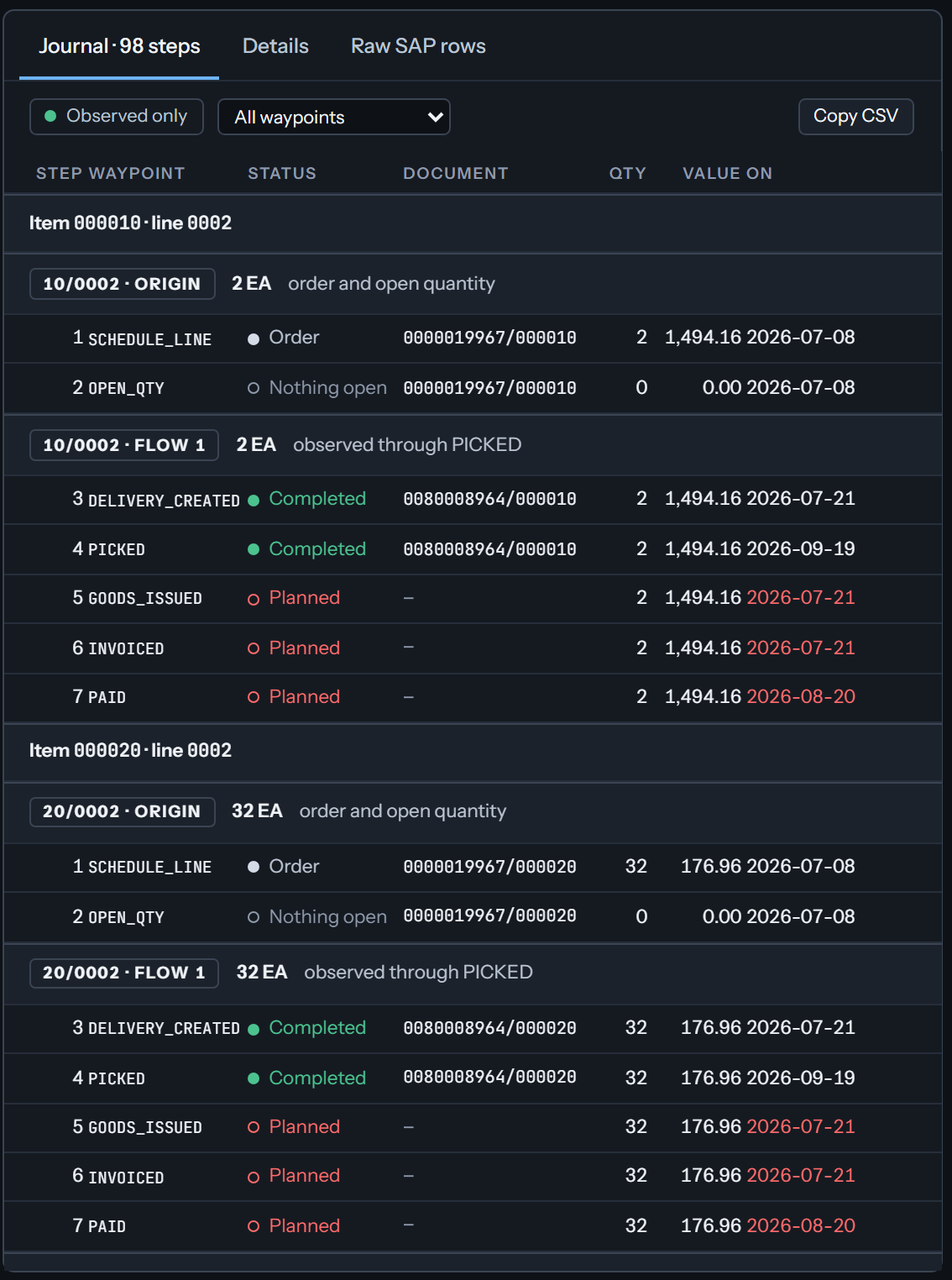
Pick an order. See its items, its schedule lines, the documents that followed, and the history of changes, with each entry linked to the SAP document behind it.
Who needs this
Customer service teams answering "what happened to my order." Sales and operations leaders watching which orders keep moving. Finance, because every delivery change moves cash.
Start with the data. Add the answers when you want them.
Quantity, dates, price, rejections. In one place, in order.